Fleet
Axon Fleet is the editor half of Axon: a VS Code extension that puts every agent you have, every process running right now, and every conversation on disk in the sidebar — with a debugger that shows you exactly what the model was sent.
Install
Install for VS Code opens the editor straight at the extension. Or from a shell:
code --install-extension arclabs.axon-fleet
It is also on the marketplace.
Then open the Axon icon in the Activity Bar. Your agents are read from disk, so they are listed before anything is running — nothing to configure and no account needed to start looking around.
Fleet needs Axon on your machine. It reads the
same local runtime the terminal does, so if axon works, this works.
Source, live, history
Three drawers, and the split is the whole model:
| Drawer | Answers |
|---|---|
| Agents | what I have |
| Instances | what is running |
| Sessions | what has run |
Every row is one click to the same place — the console, pointed at that thing. There is no folder to expand first and nothing nested except subagents, which are nested because the runtime nested them.
The drawers covers each one.
The console
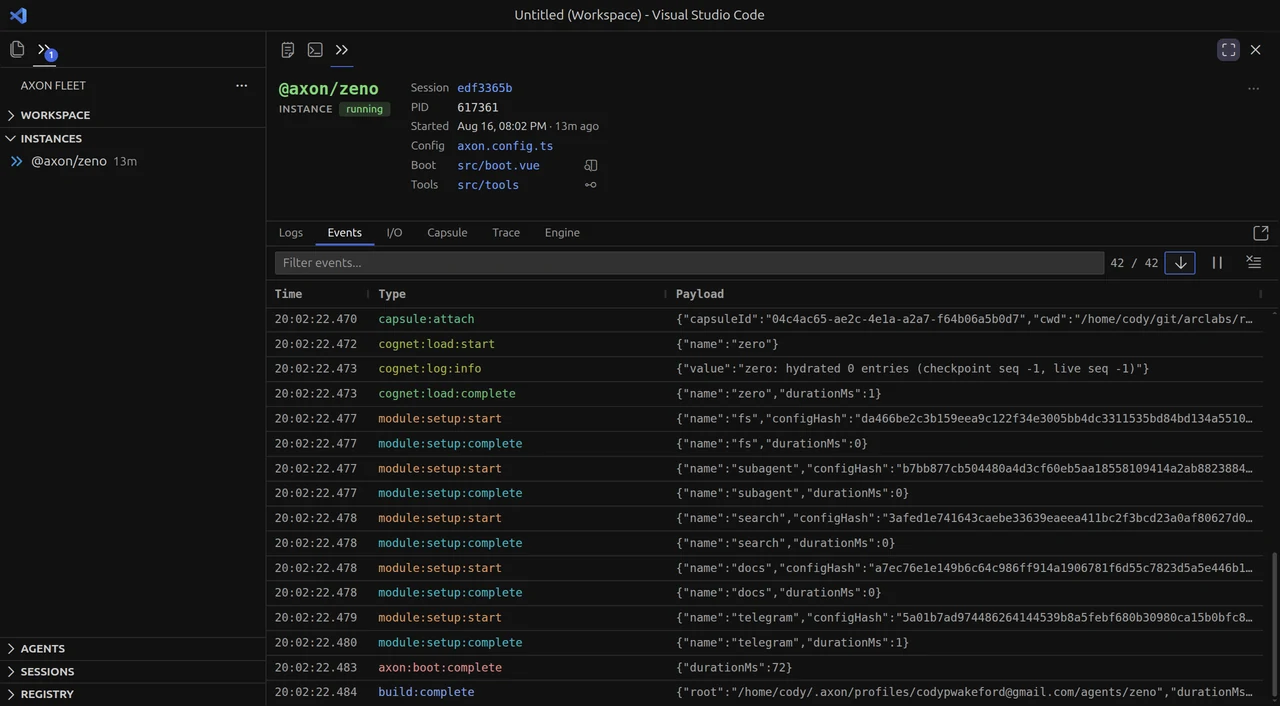
Selecting anything opens six views over that run. They are not summaries — they are the
session's .jsonl, rendered.
Events is what happened, in order. Trace is the same run laid against time. Engine is what the model actually received. Logs, I/O and Capsule cover process output, the sensory timeline, and what ran inside the sandbox.
Live and finished are one interface
Every pane reads from a source: a running instance, or a session file on disk. A finished run opens with the same tabs, the same filters, the same everything.
That is deliberate, and it is why Sessions is a drawer rather than an archive. Debugging a run that ended is the same act as watching one that has not — so it should not be a different screen, and reproducing a bug should never be a prerequisite for looking at it.
It joins runs, it does not own them
Start an agent from a terminal and it appears in Instances. Nothing had to launch it from here.
Every booted agent registers itself on the machine, and the CLI, the terminal and this extension all read that same registry. None of them owns the fleet — they observe one. That is what Open in TUI on an instance row does: your terminal jumps to that conversation, in the session it was already in.
It works the other way too. From a conversation, :open log, :open flame and
:open engine put that pane in front of you, pointed at the run you are having. See
Terminal.
The registry, in the sidebar
Browse and install agents, modules, cognets, prompts, benches and extensions without leaving the editor.

Filter by kind, search, install into the agent you are working on.
What it reads
Your machine. Agents from disk, processes from the local registry, sessions from each
agent's data/sessions. Nothing is uploaded. An Axon account is needed for the
registry and for deployments; everything else works signed out.
The drawers — Agents, Instances and Sessions, row by row.
The console — six panes over one run.