Installation
curl -fsSL https://axon.arclabs.it/install | bashInstalls Bun (if not already present) and Axon. Safe to re-run.
axon
On first launch Axon opens a browser to sign you in — press Enter, approve, and you are back in the terminal. It also clones Zeno, a real agent from the registry, so there is something to talk to immediately:
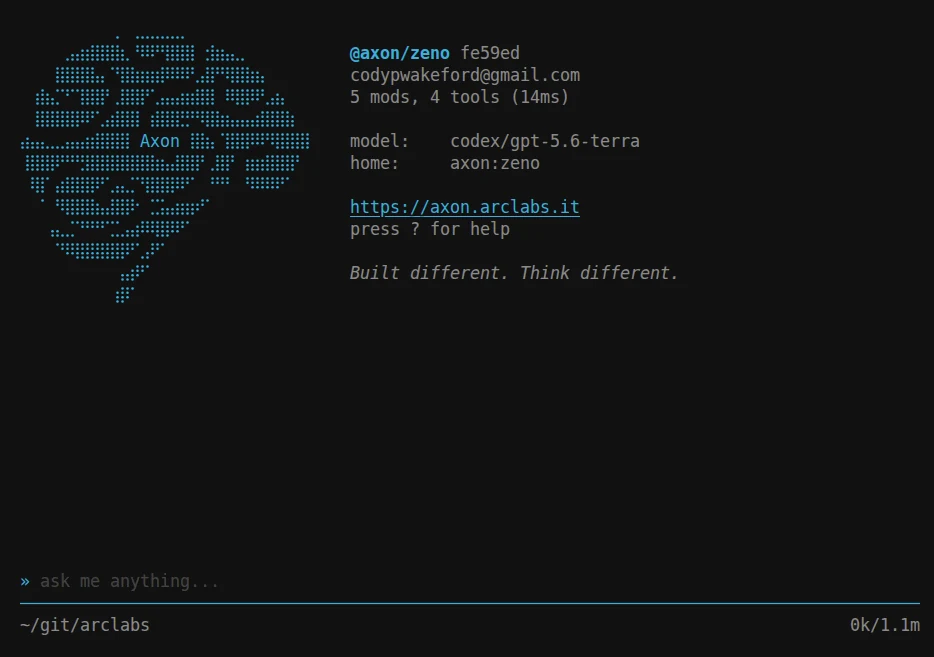
That's it — you're live. Your account comes with free credits, so Axon Cloud is active the moment you sign in. No card, no config.
Pick a model
Press *. Everything you can run is in one list, grouped by route:
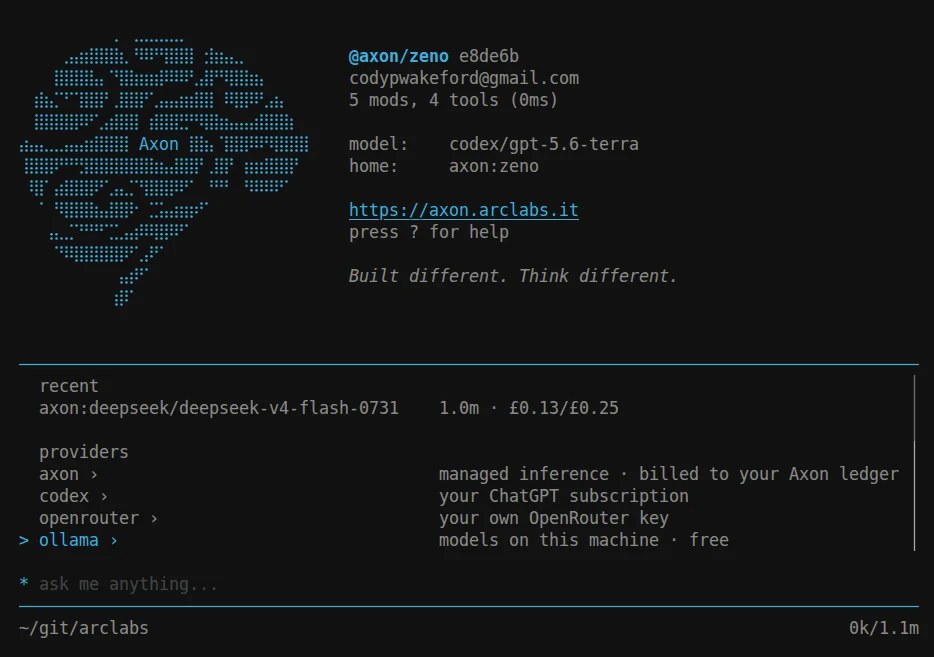
The free credits cover the axon route, so you can pick a model and start talking right
now. See Models for how the list is searched.
Powering your agent
Every agent needs a brain. Axon doesn't lock you into one — the free credits get you
started, and when they run low you have options. Axon never sits between you and your
inference; the Axon balance is only ever for Axon's own services (the managed Axon()
provider, deployments, voice). Bring your own model and you may never touch billing at all.
- Axon — managed inference, zero setup, works instantly. Free credits now, top up when you're ready.
- OpenAI Codex — already pay for a Codex subscription? Connect it. Axon takes nothing.
- OpenRouter — your own key, hundreds of models, provider rates with no markup.
- Your own vendor key — Anthropic, OpenAI, Google, Groq and eight more, direct with your own key.
- Ollama — run models on your own hardware. No API costs, nothing leaves your machine.
The two that need a credential are connected once, from the terminal:
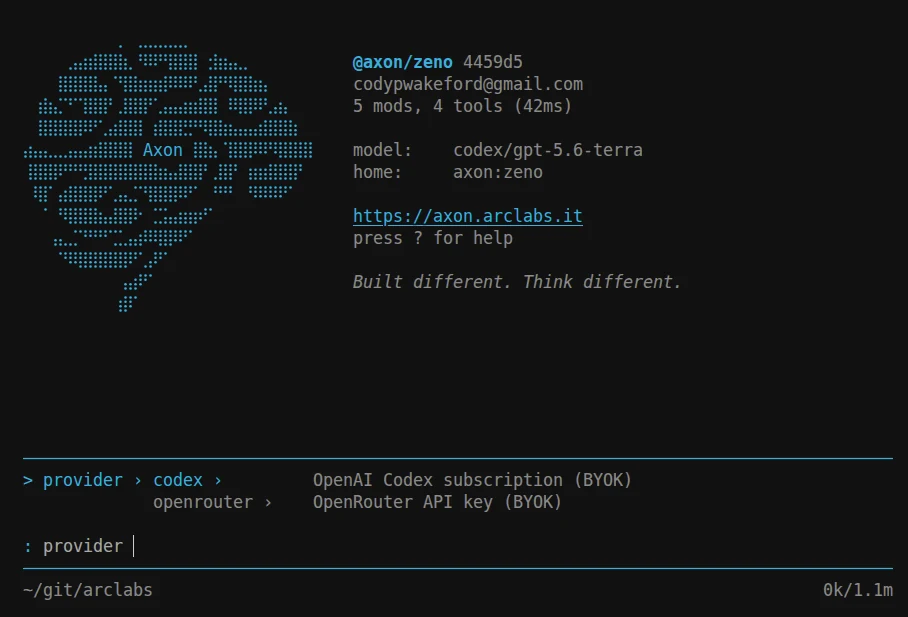
:provider codex connect
:provider openrouter connect
Credentials are held in your account vault on the backend, not on this machine — which is what lets a deployed agent use the same connection, and why nothing needs re-entering when a token refreshes.
Ollama needs no connection at all: its route appears as soon as the daemon is running.
Already logged in and happy on Cloud credits? Skip straight to Your First Agent.