What is Axon?
Axon is an agent runtime with a terminal on the front of it. Install it, and you have a working agent in the shell you already live in — one you can talk to, watch, retheme, extend, and eventually deploy.
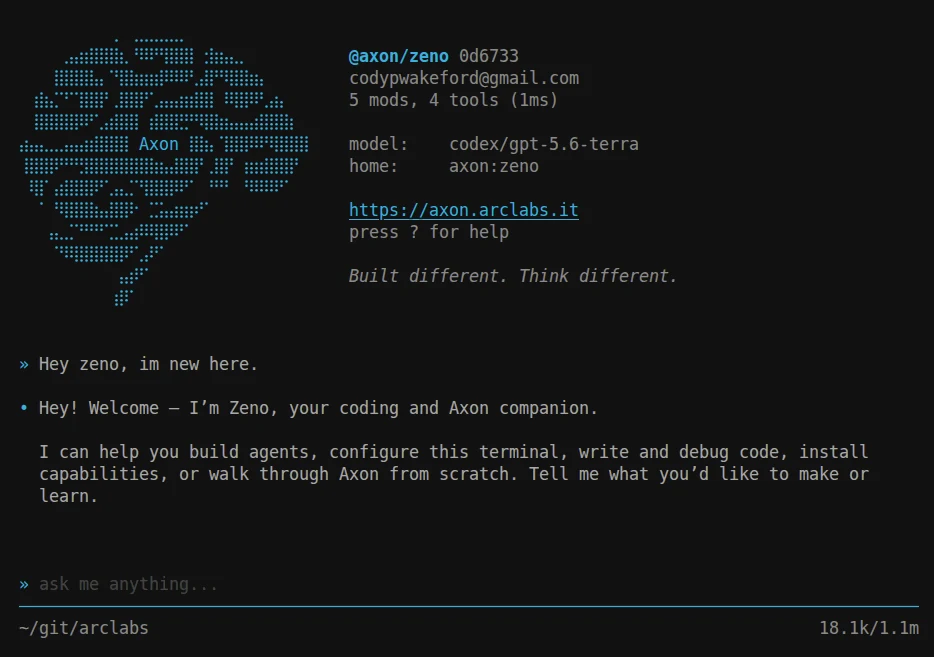
Nothing to scaffold first. On first launch you get Zeno, a real agent cloned from the registry, because an agent is the only thing that can run and a new user has none.
Install Axon and you are at this screen in about a minute.
Learn one palette, know them all
This is the part that is hard to convey in prose and obvious in ten seconds of use. Every
list in Axon is the same widget: type to filter, Space to descend, Tab to
complete, Enter to run, Escape to back out. The breadcrumb always says where you are.
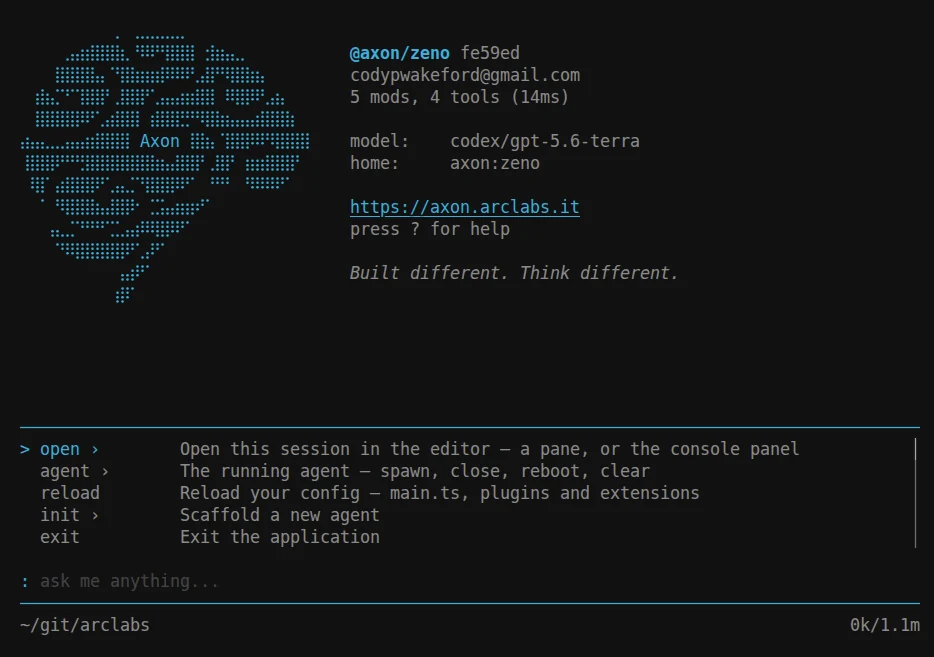
Press : for commands:
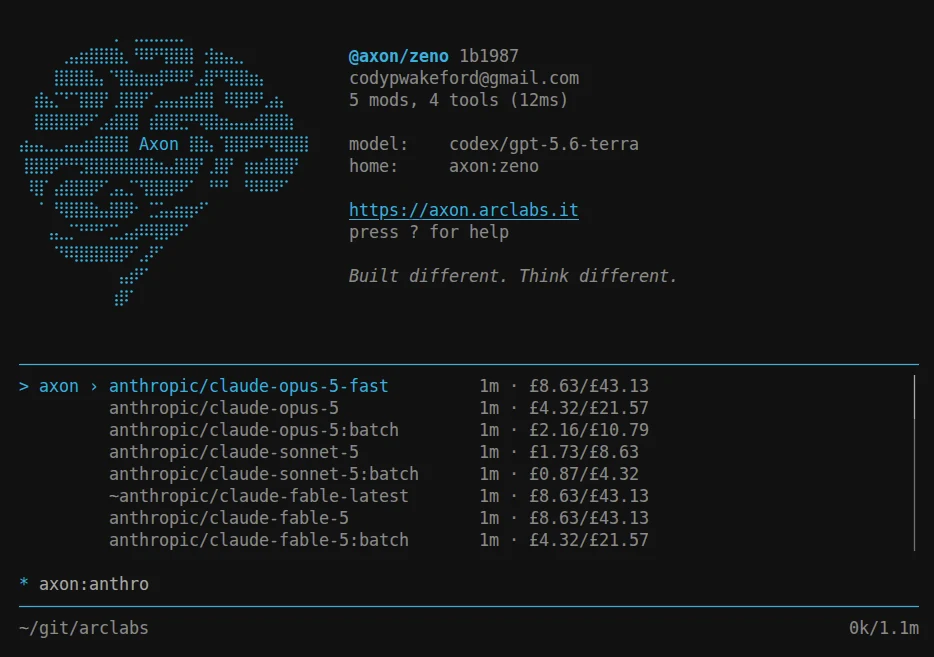
Press * for models — same widget, same keys, and the query is the state, so axon: puts
you inside a route and axon:anthro narrows it:
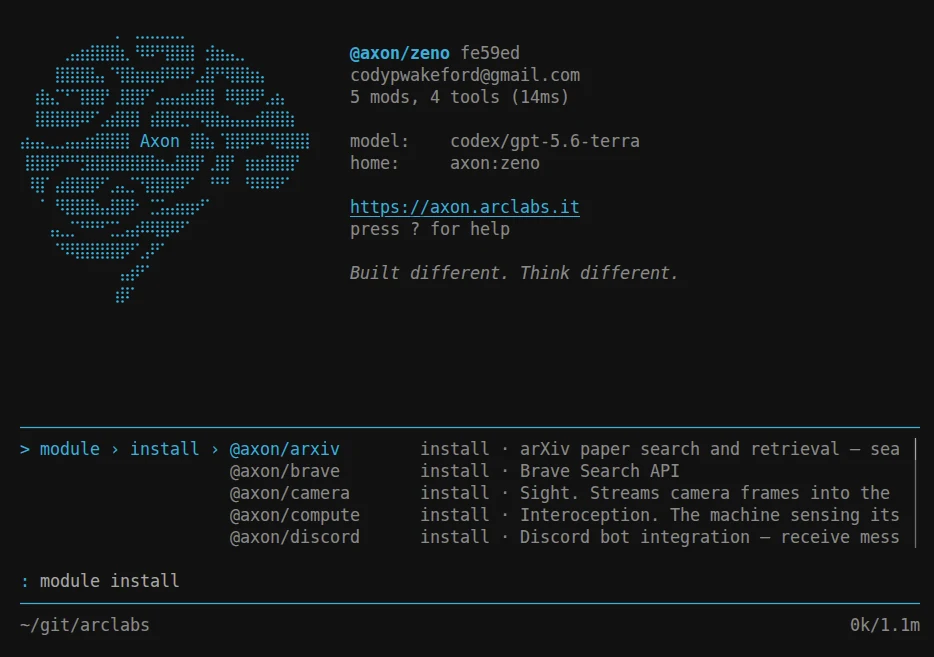
Press % for the module registry — same widget again:
Because the bindings never change shape, learning one palette teaches you all of them, and muscle memory built on day one still works on the ones you meet in month three. Nothing reachable from a palette destroys a conversation, so exploring is free.
Anatomy has every mode key and the full command tree.
Two doors
Most people come in through the terminal and stay there. Some are here to put an agent inside an application. Both are first-class:
| You want | Start at |
|---|---|
| An agent in my terminal, right now | Terminal |
| An agent inside my app | axon.stream |
For the second, the whole application boundary is one call:
const { stream } = axon.stream({ prompt: [session, task] })
You get a stream of entries and decide what your application does with them. Context assembly, the loop, tool dispatch, sessions, retries and policy stay inside the runtime.
The rest of this page is the first door.
How far it goes
The terminal is the floor, not the ceiling. Each step below is optional, and each one is reachable from the terminal you already have.
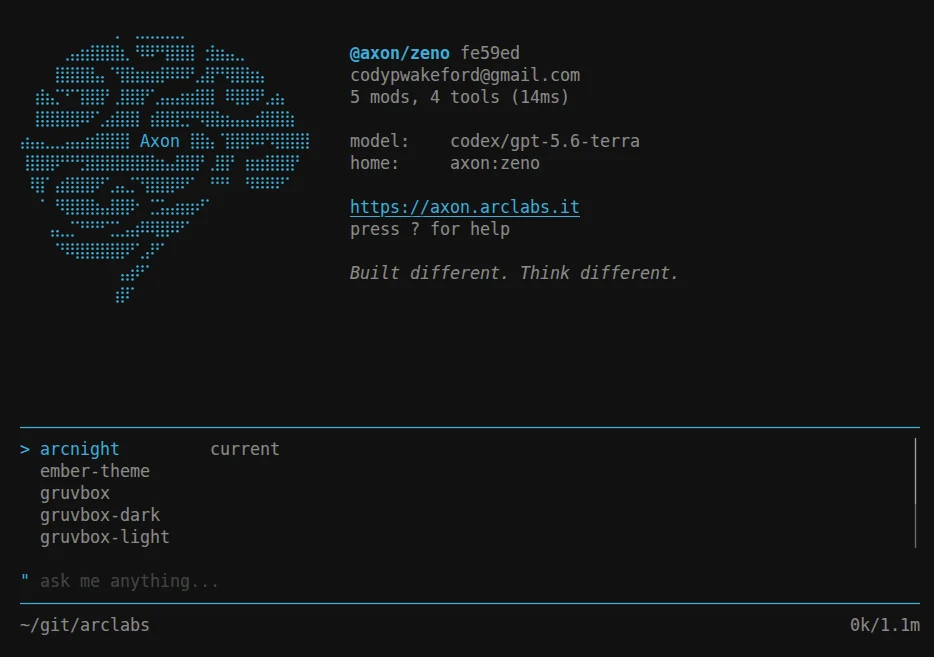
Retheme it
" switches theme with live preview.
Extend it
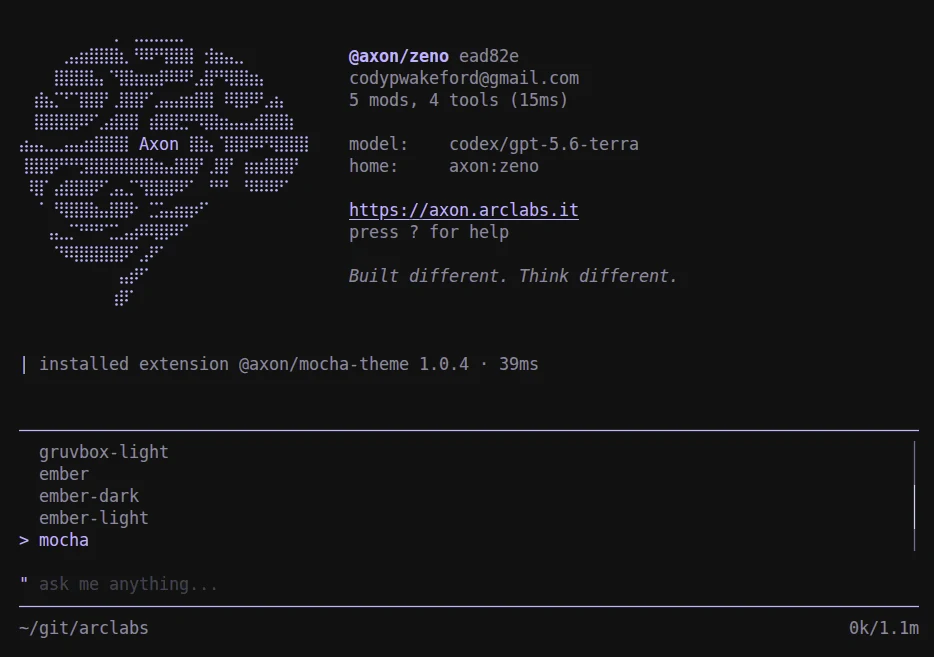
Themes, commands, keybinds and status lines ship as extensions. Installing one is a command, and it is live immediately — no restart, no config file to hand-edit:
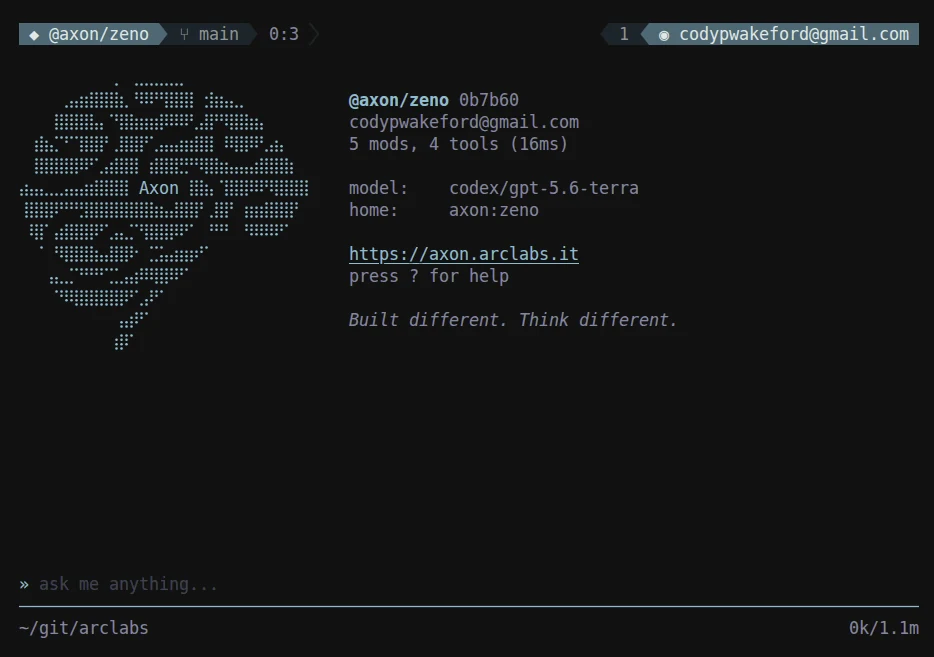
Write your own in TypeScript in your profile: your commands sit in the : tree beside the
built-ins, indistinguishable and filterable the same way. Compose the status bars, bind
keys, add palettes of your own.
Terminal API · lines · Profile structure
Give an agent capabilities
Integrations — GitHub, Linear, Discord, Stripe — are modules. One brings its typed
tools, client setup, event handling and verification with it, so github.openPr is a
documented call rather than another subsystem you maintain.
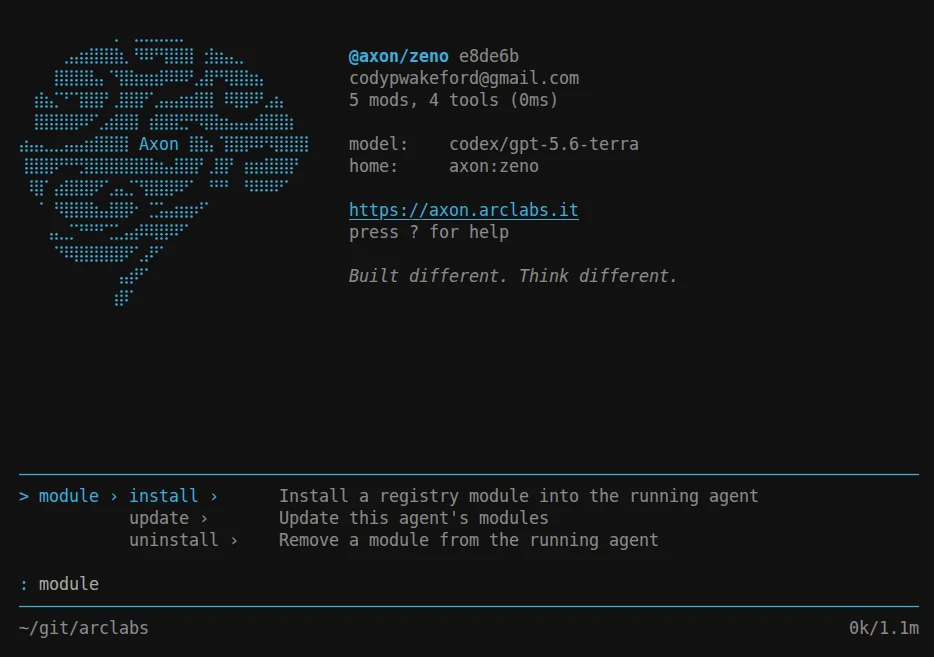
Install from the terminal with %, or from the shell:
axon install @axon/github
Build your own agent
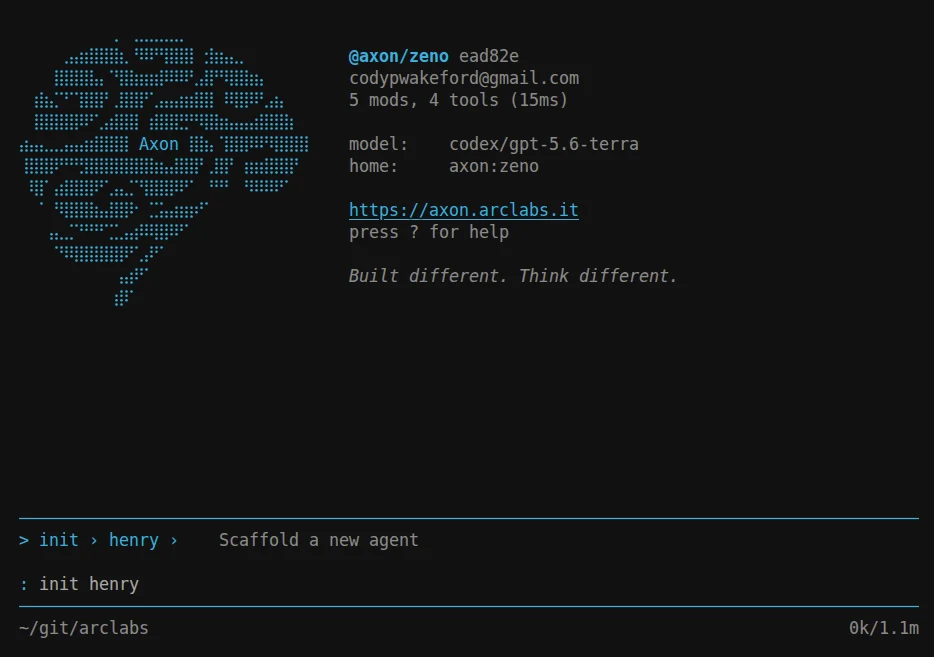
:init scaffolds one. An agent is a project folder — config, modules, prompts, tools and
source travelling together, tied to no model vendor and no host.
Author modules and cognets
A module is a capability other agents install. A cognet is the cognition itself — the loop, the memory, the world model — swappable as a name in config, so an agent can be upgraded without touching its code.
See what it actually did
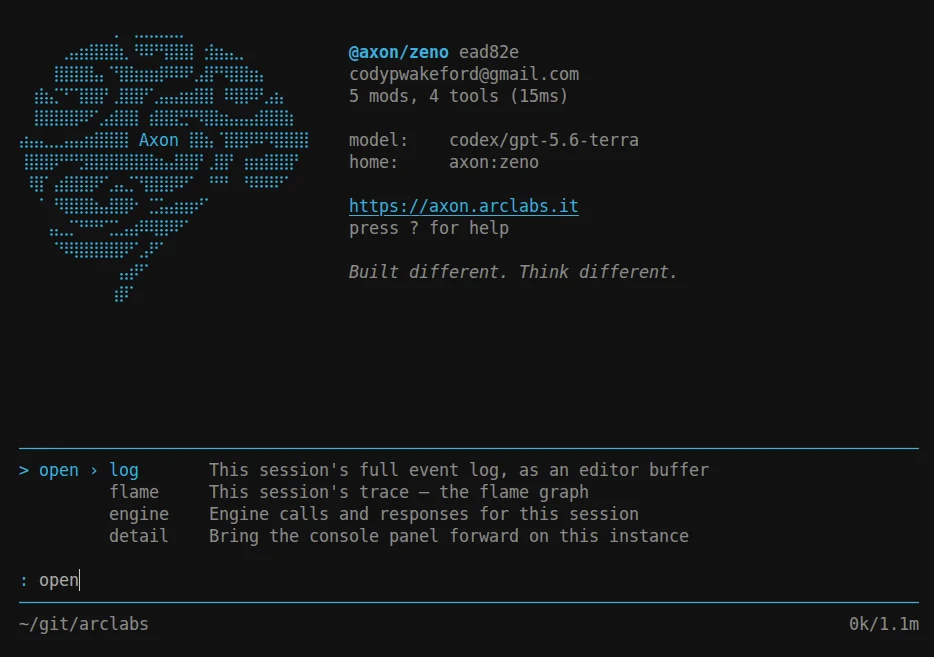
:open puts this session's event log, its trace as a flame graph, or its engine calls
into your editor. Every tool call is visible; nothing is hidden behind a toggle you have
to know about.
Fleet — the editor side, for when a conversation needs a debugger.
Deploy when it is ready
axon deploy
The same project, with a public URL, an API key and durable cloud storage. When you need your own infrastructure, the same base image runs your agent from a mount on any container platform.
Start with Installation, then build your first agent.