Your First Agent
You already have an agent — Zeno, cloned on first boot, with filesystem and shell access. Ask it to read a file and watch it call a tool, reason over the result, and answer. That loop is the runtime, and you have not written a line yet.
This page is the step after: making one that is yours.
Scaffold
:init from inside the terminal — type a name and press Enter:
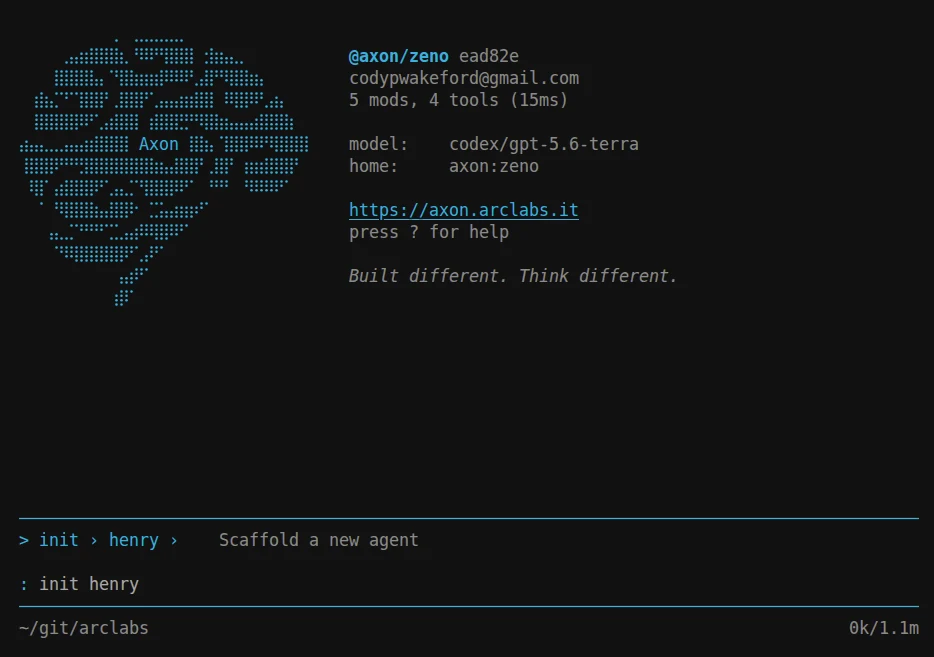
Or from the shell, if you would rather:
axon init my-agent
cd my-agent
Either way you get a real agent, not a stub. It boots, accepts sessions, and runs scripts immediately — dependencies installed and types generated, with no separate prepare step.
The folder is the agent
my-agent/
├── src/
│   └── boot.vue     # who the agent is
├── tests/           # a boot test, to prove it runs
├── axon.config.ts   # identity, engine, modules, policy
└── package.json
That is the whole agent. The rest of the shape is opt-in — add src/tools/ when it
needs to do something, src/scripts/ when work needs orchestrating, src/prompts/ for
context it can load, server/ for HTTP routes, data/ for durable storage. Axon
discovers whatever is there at boot; folders you do not use do not exist.
Capabilities are the exception: modules are declared in axon.config.ts rather than
dropped in a folder, so what an agent depends on is readable in one file.
Your IDE understands the project, you version control it, you bun add into it.
Change who it is
src/boot.vue is the standing system prompt: rendered once at boot, present for every
session and every invocation.
<!-- src/boot.vue -->
<template>
    <h1>My Agent</h1>
    <p>You are a coding assistant working in this repository.</p>
</template>
Save it while the agent is running and it hot-reloads in about 40ms, session intact. Ask the agent who it is before and after — that round trip, edit to visible change with nothing restarted, is what the rest of the authoring surface feels like.
Where to go next
You have the folder and you have the loop. Everything below is one step deeper, in the order you will meet it:
Identity — what boot.vue can do beyond a paragraph.
Tools — export a typed function from src/tools/ and
the agent can call it. No registration, no schemas.
Scripts — the primary authoring unit. Load context, call the agent, process the result; runs the same from the shell, the terminal, or an HTTP route.
Policy — what the agent is allowed to touch.
Deploy — axon deploy puts this same folder in the cloud with a
public URL, an API key and durable storage. Nothing about it changes.
The full authoring surface is the Agent track. To go the other way — deeper into the terminal you are running all of this from — start at Terminal.