Ollama()
Models on your own hardware, through a local Ollama daemon. No API costs, and nothing leaves your machine.
export default defineProfile({
    providers: [Ollama()],
})
Requires Ollama installed — Axon manages the server for you once it is. A local model always outranks a hosted route when both can serve a role: you already expressed the preference by installing it, and it is what keeps an agent working with the network off.
Credentials
None. The models live on your disk and run in your VRAM.
Options
Ollama(options?: ProviderOptions)
| Option | Default | Description |
|---|---|---|
url | http://localhost:11434 | Daemon endpoint — point it at another machine on your network |
slots | 4 | Concurrent calls. The daemon queues past its own limit, so a higher number queues deeper rather than going faster |
key | — | Not used |
Reaching a daemon on another box is the common override:
providers: [Ollama({ url: "http://box.local:11434" })]
What the catalogue reports
What is pulled, never the shelf of models you could install. Those are different questions: the shelf is a download menu for a picker, and answering with it would resolve a role to weights that are not on your disk.
An unreachable daemon contributes a visible failure rather than an empty list — a dead Ollama and a machine with no models would otherwise look identical, and the difference is whether your agent silently fell back to the cloud.
Managing models
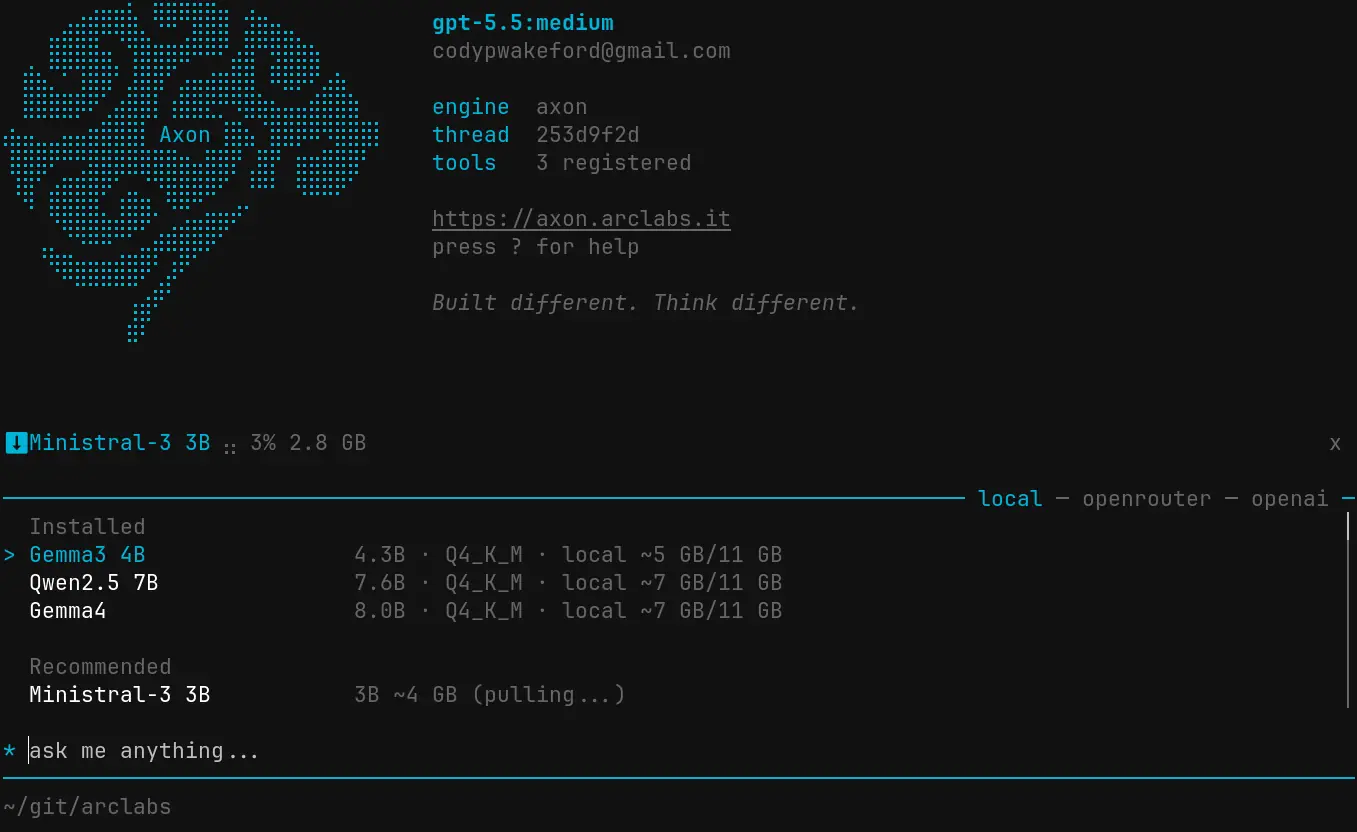
Open the model palette with * to browse the Ollama library. Models are filtered to your
hardware and labelled by fit — recommended, possible, or unlikely to run well. Select one
and it downloads immediately.
:ollama ps              # models currently loaded in VRAM
:ollama unload          # unload a model from VRAM
:ollama remove          # delete a model from disk
:ollama update          # re-pull all installed models to latest
:ollama stop            # stop the Ollama server
Model ids
Ollama's own tags, including the colon:
export default defineAgent({ model: "ollama:qwen3:8b" })
The route is everything before the first colon, so ollama:qwen3:8b is provider
ollama, model qwen3:8b.
Structured output
Local weights get no assumption of structured output — unlike a hosted frontier route
behind an API that enforces a reply schema. A cognet role declaring structured: true may
therefore reject a local model that a hosted one satisfies.