Models
Press * to set the focused agent's model. Every way you have to run one is in a single
list, grouped by route and priced where pricing applies.
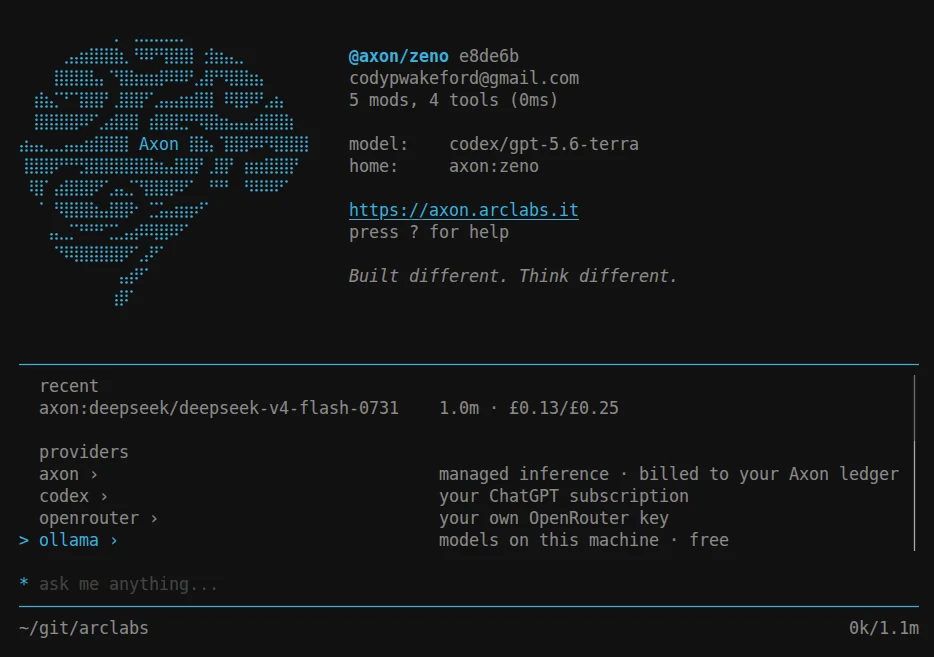
A model is a property of an agent, never something you talk to instead of one.
Selecting a row edits that agent's axon.config.ts and hot-reloads it — the
conversation, the session and the instance all survive.
Four routes
The same model is usually reachable more than one way, and the route decides who bills you:
| Route | What it is |
|---|---|
axon | Managed inference, billed to your Axon ledger. No key needed |
codex | Your ChatGPT subscription |
openrouter | Your own OpenRouter key |
ollama | Models on this machine. Free, and offered only while the daemon is running |
axon:auto lets the platform pick per request.
Type, don't browse
There are no tabs and no provider pages. The query is the state, and the colon is the
transition. Type axon: and you are inside that route; keep typing and it narrows:
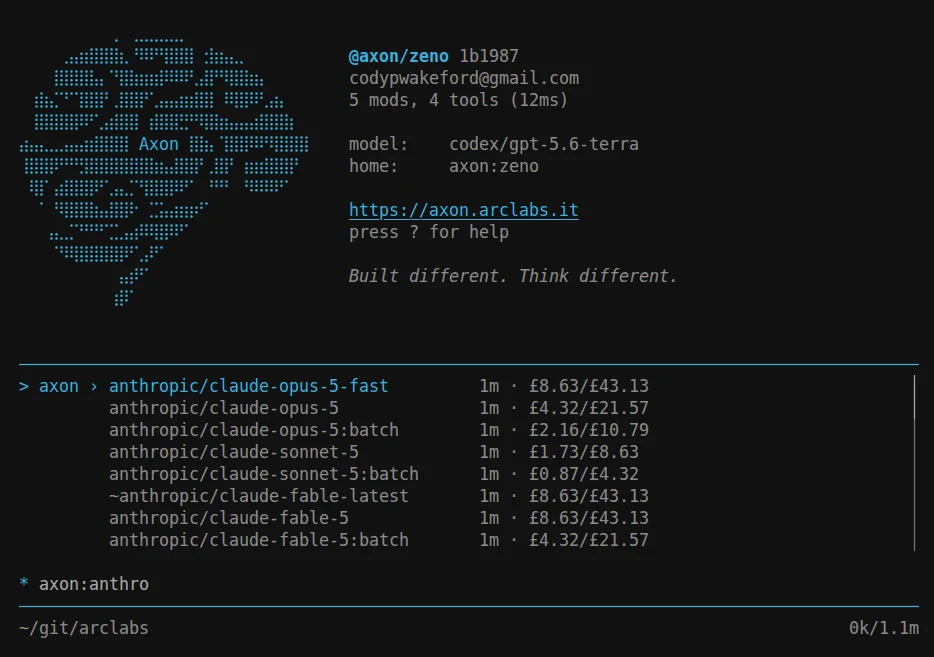
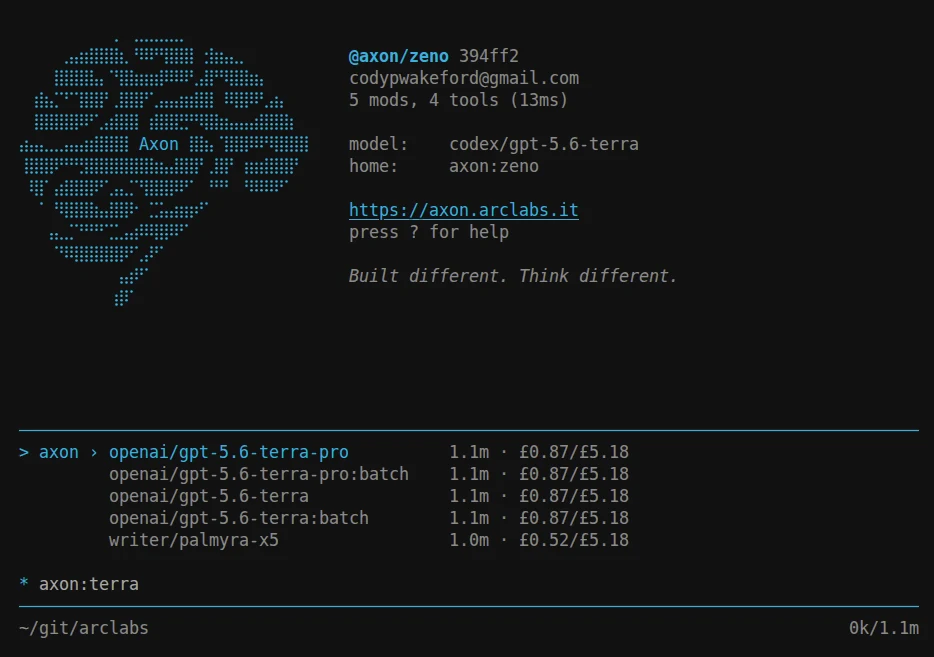
Backspacing over the colon returns to the routes, so there is no mode to get stuck in. Every term narrows against any part of a row, so you can go straight at what you want:
| Query | Finds |
|---|---|
sonnet | every route for every sonnet |
codex | everything the subscription covers |
codex gpt-5 | the subscription's gpt-5 |
ax haiku | axon-billed haiku |
Rows are ordered most-recently-used first, so the models you actually use sit at the top before you type anything.
Around 380 of ~400 catalogue models carry at least two routes. Seeing one model three times is three real prices to compare, and one more term collapses them — which is why the list is searched rather than browsed.
Connecting a provider
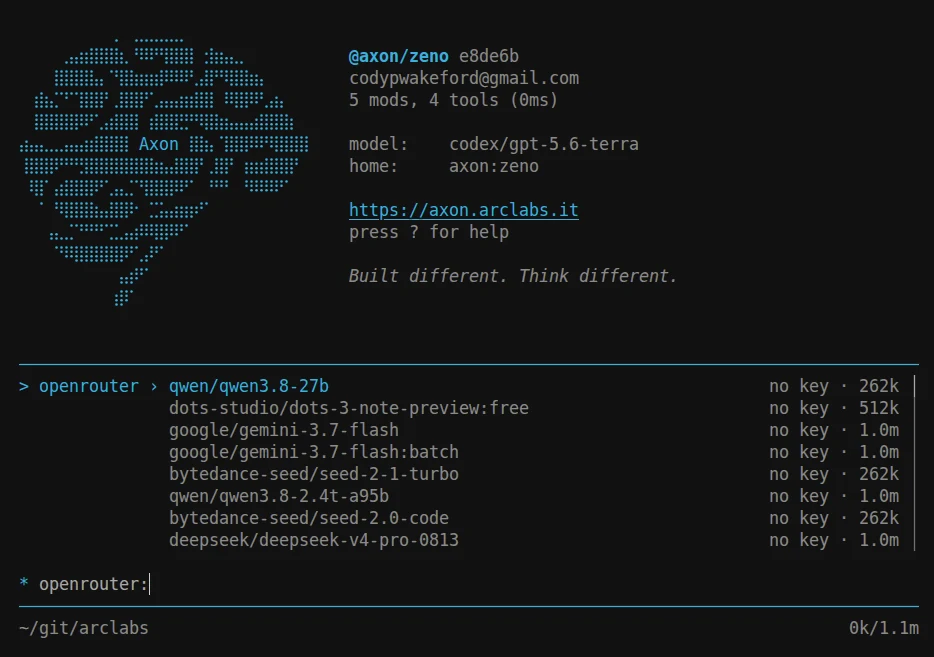
codex and openrouter need connecting once. Until then their models still list, marked
with what is missing rather than hidden:
| Command | What it does |
|---|---|
:provider codex connect | Sign in with your OpenAI account |
:provider codex disconnect | Remove the connection |
:provider openrouter connect | Store an OpenRouter API key |
:provider openrouter disconnect | Remove the key |
Credentials are held in your account vault on the backend, not on this machine. That is what lets a deployed agent use the same connection, and why token refresh is invisible to you — there is nothing to re-enter when one expires.
axon needs no connection beyond being signed in.
Local models
Install Ollama and the route appears as soon as the daemon answers.
Models on your machine are marked installed; the rest show their download size, and
selecting one pulls it with progress in the palette:
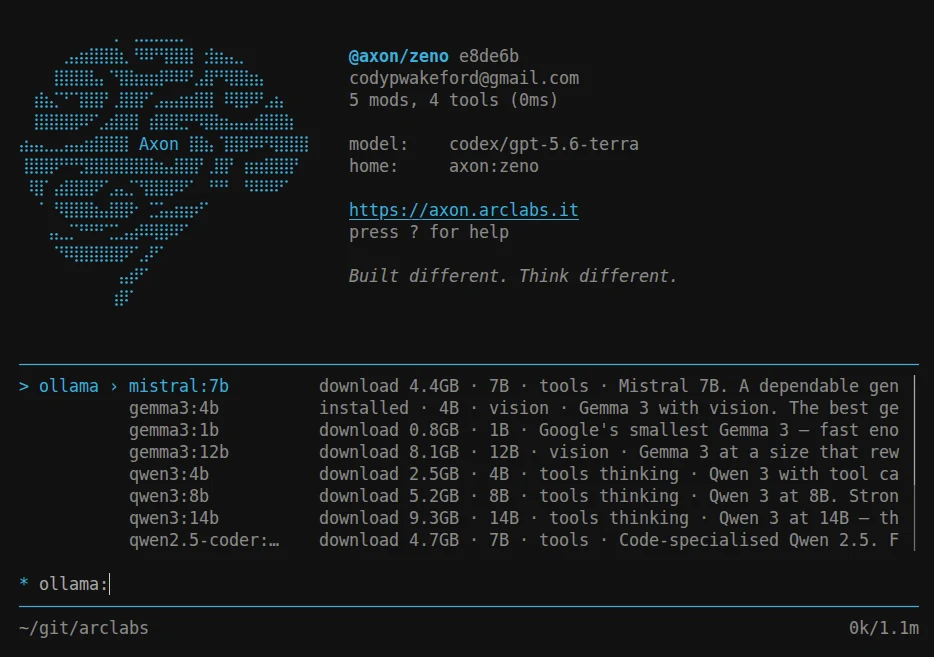
Rows carry what actually matters locally: parameter count, whether it supports tools, thinking or vision, and how much disk it wants. Inference runs entirely on your hardware and nothing leaves the machine.
Not on a deployment
A deployed agent's config lives in the cloud, so * refuses with MODEL_IMMUTABLE_DEPLOYED.
Change the model in the project and deploy again.