Pages
/ opens the page navigator. Four pages. Each is a different view of the agent and
session state. Navigating the palette previews the page live — move through the list and
the view updates immediately. Escape cancels and returns to the previous page.
/chat
The default. A scrollable message list for the current session. User messages, agent text, tool execution output, and system notes all appear here in the order they occurred.
/environment
Everything the agent currently has available: tools, prompts, scripts, and installed modules. This is the live manifest — what's actually registered and callable, not what the config declares.
The tool section shows the TypeScript declarations the agent sees — the same signatures
and JSDoc that appear in the <env> block of the AIR context. If a tool isn't appearing
here it isn't registered and the agent can't call it.
/context
The rendered AIR context window — exactly what the model received on the last tick. Useful for debugging unexpected model behaviour. If the model did something wrong, reading the context shows what it was actually working with.
The context updates after each tick. Navigate here mid-session to see how the context has evolved as the thread grows.
/account
Account info, theme selection, and session statistics.
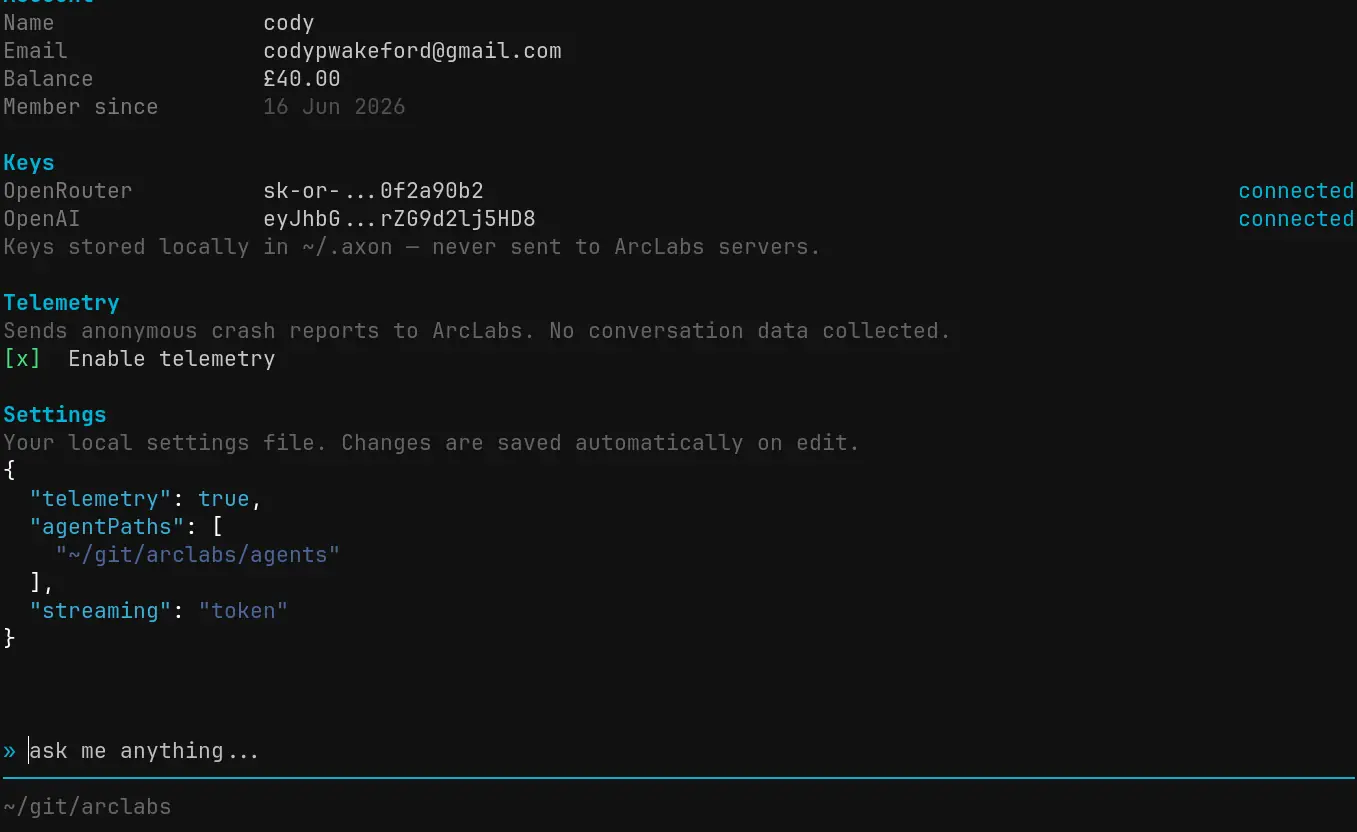
Switch colour themes here or via " from any page — both use the same live preview
switcher.